Every dollar, sorted. No spreadsheet.
Notch pulls in every charge, sorts it, and shows where your money goes, with a budget that knows the difference between your mortgage and your takeout.
Review in seconds, not hours.
New charges wait in To review until you tap OK. Open any one to rename it, change its category (and every one like it), mark whose it is, add tags and notes, or split it.
- Grouped by day, with each day's total
- Change one category and future charges follow
- Search, filter and sort by day, category or size
- Rules sort new charges automatically
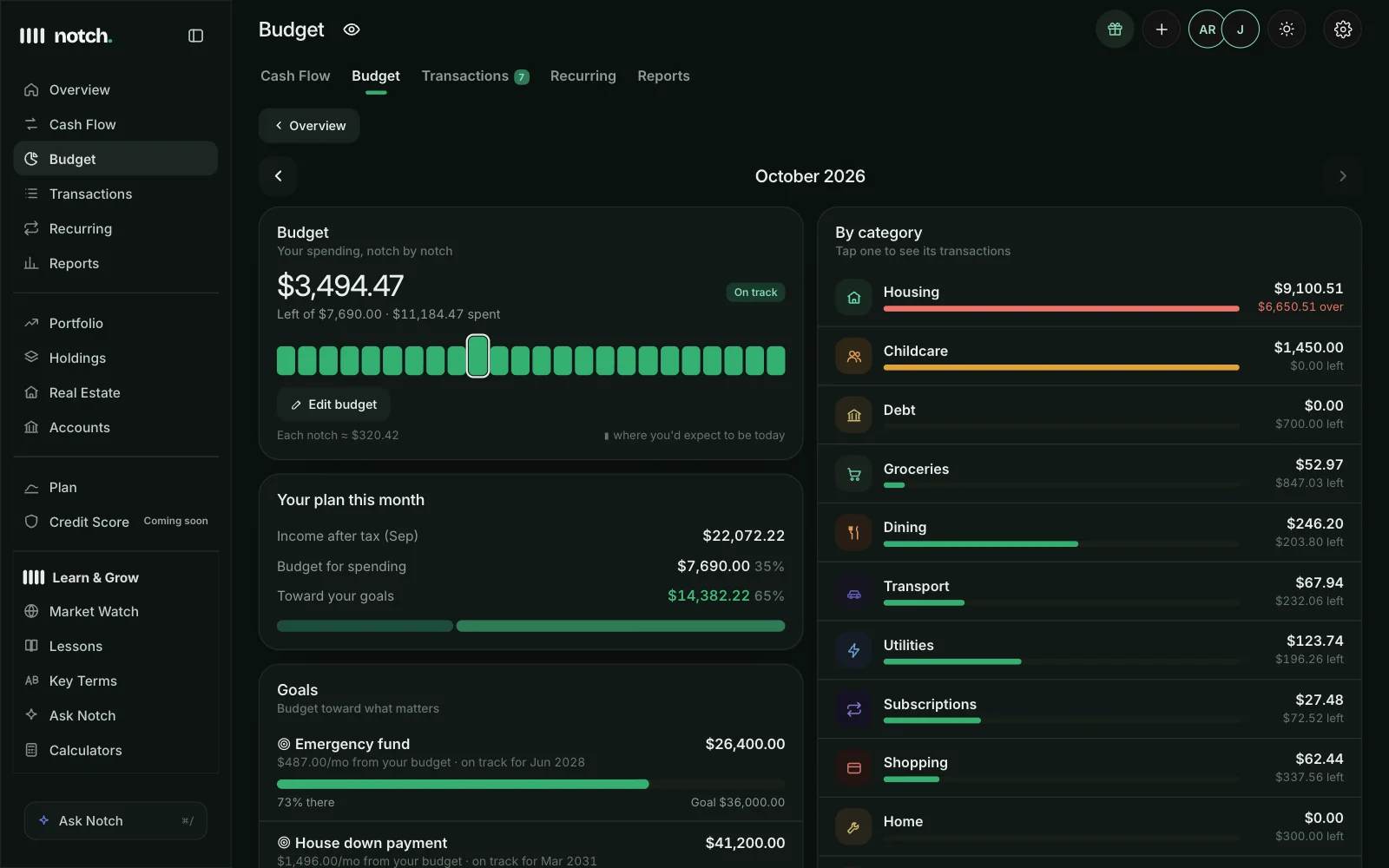
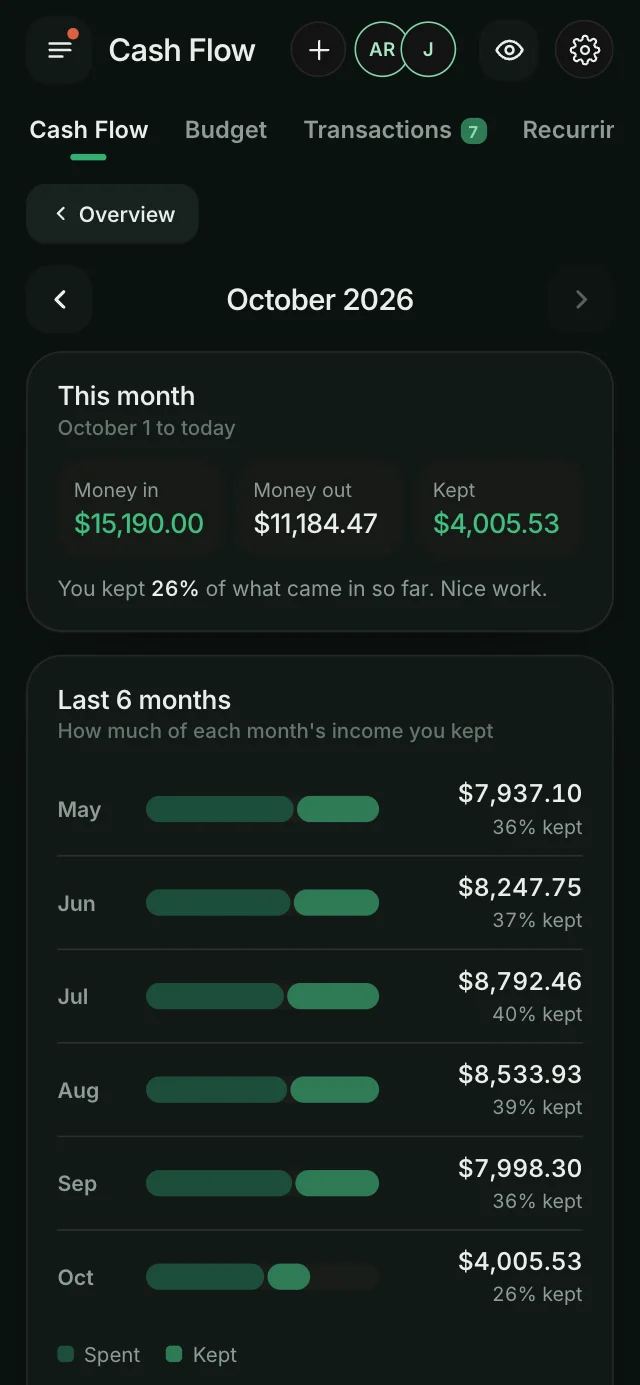
A budget that keeps pace.
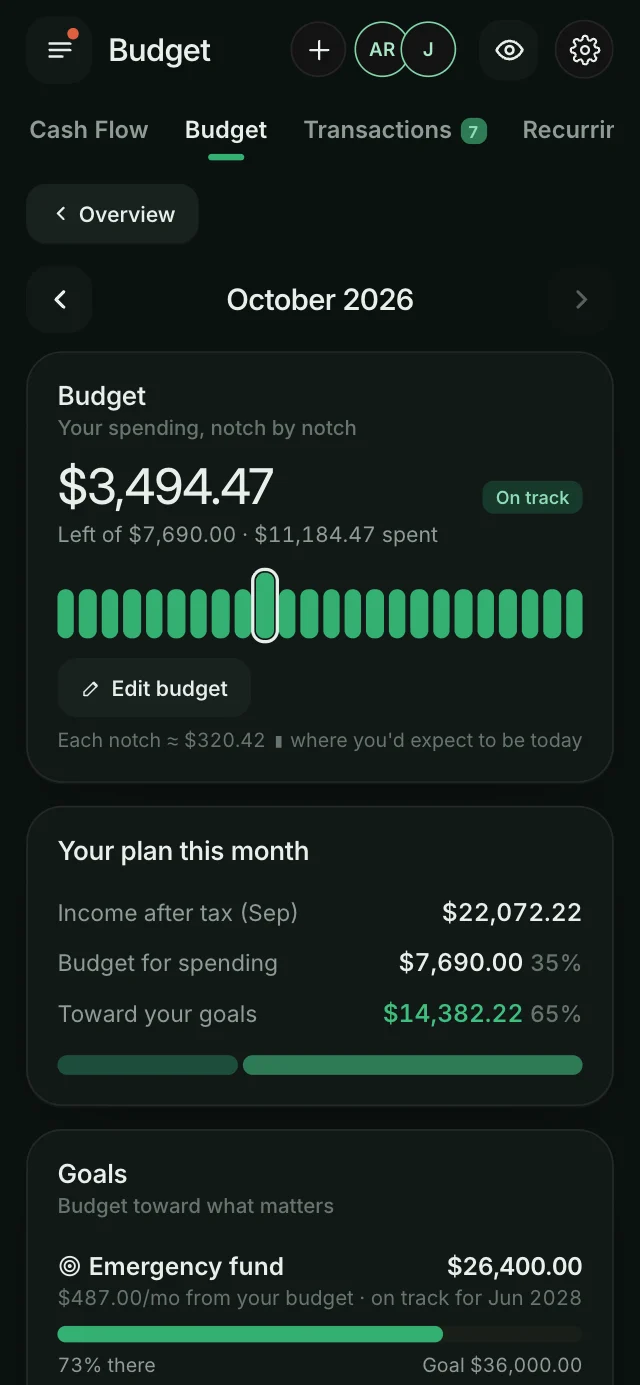
Fixed bills like your mortgage land early in the month, so Notch paces only your everyday spending. Goals live right in your budget, with what to set aside each month.
- A notch-by-notch meter: where you'd expect to be today
- Every category, with what's left and what's over
- Goals linked to a savings account update themselves
- Edit limits anytime; start from your 3-month averages
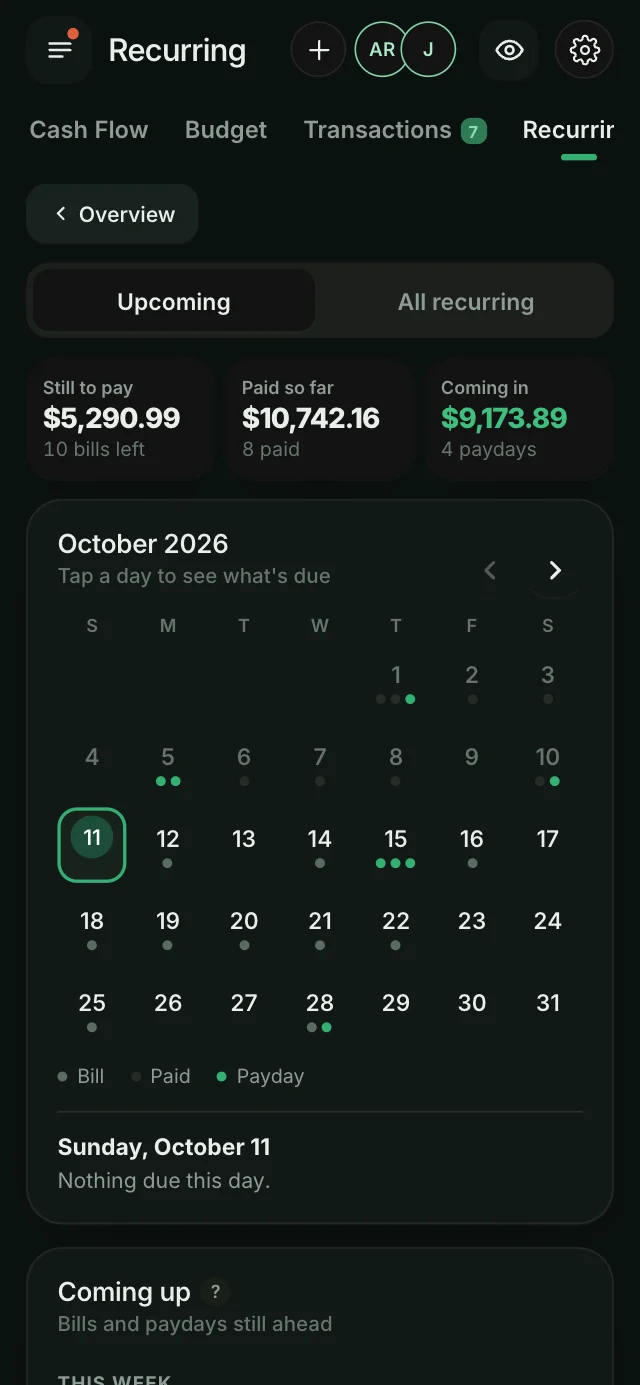
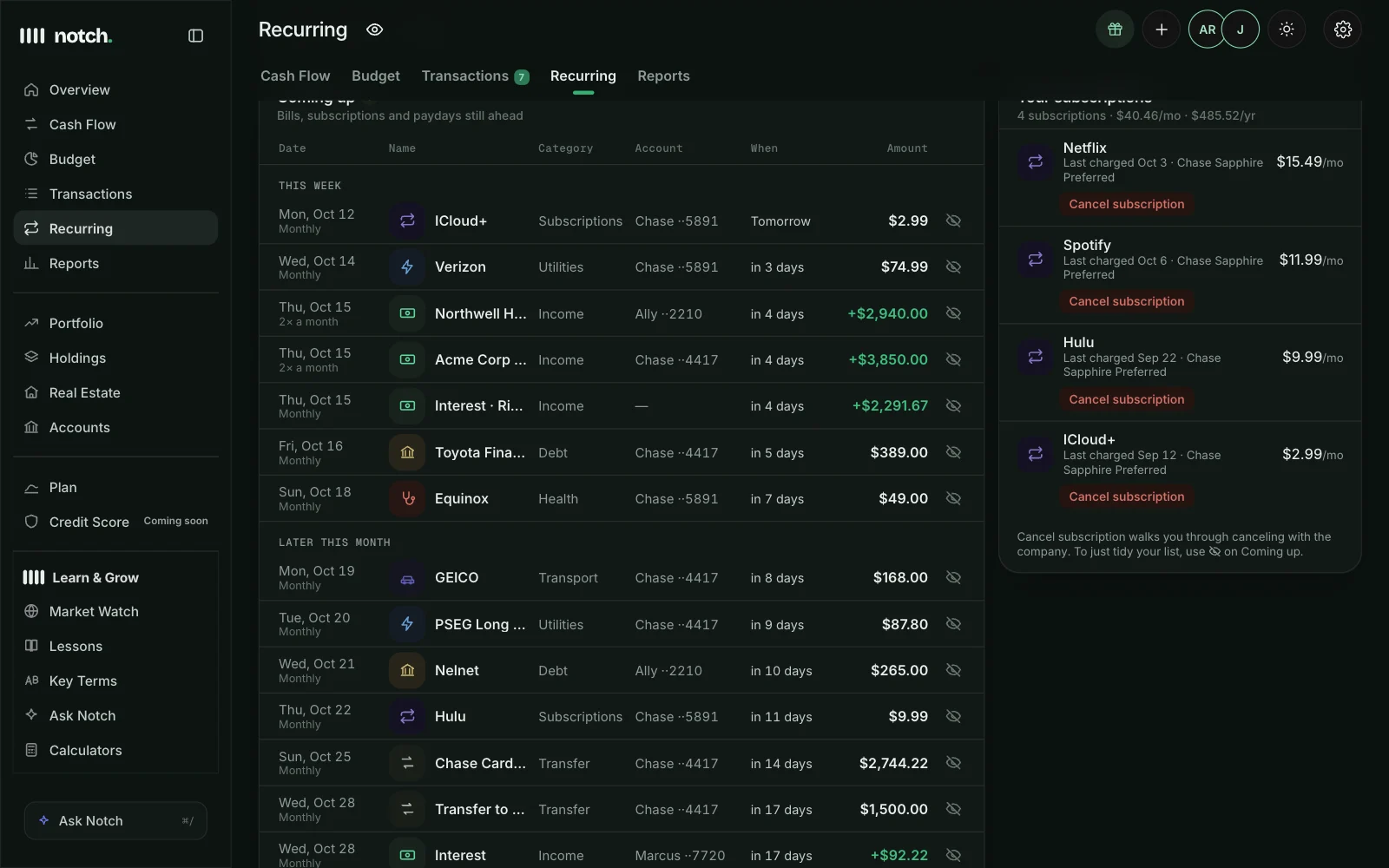
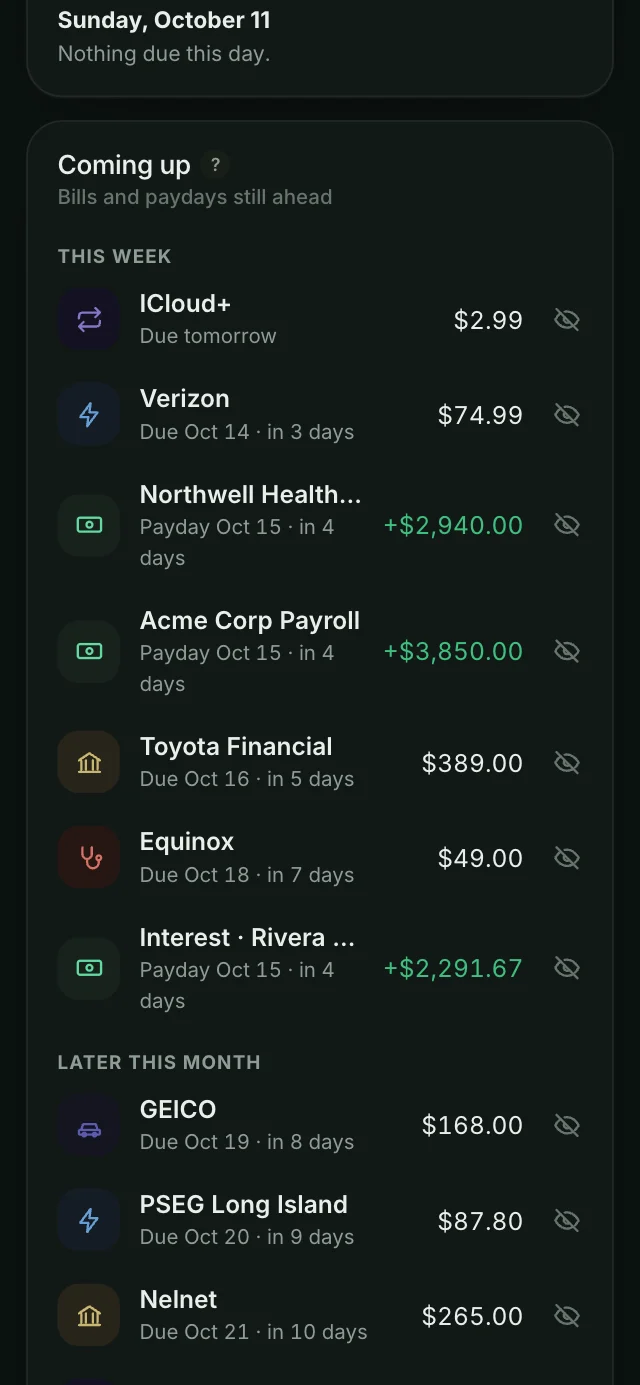
Never wonder what's due.
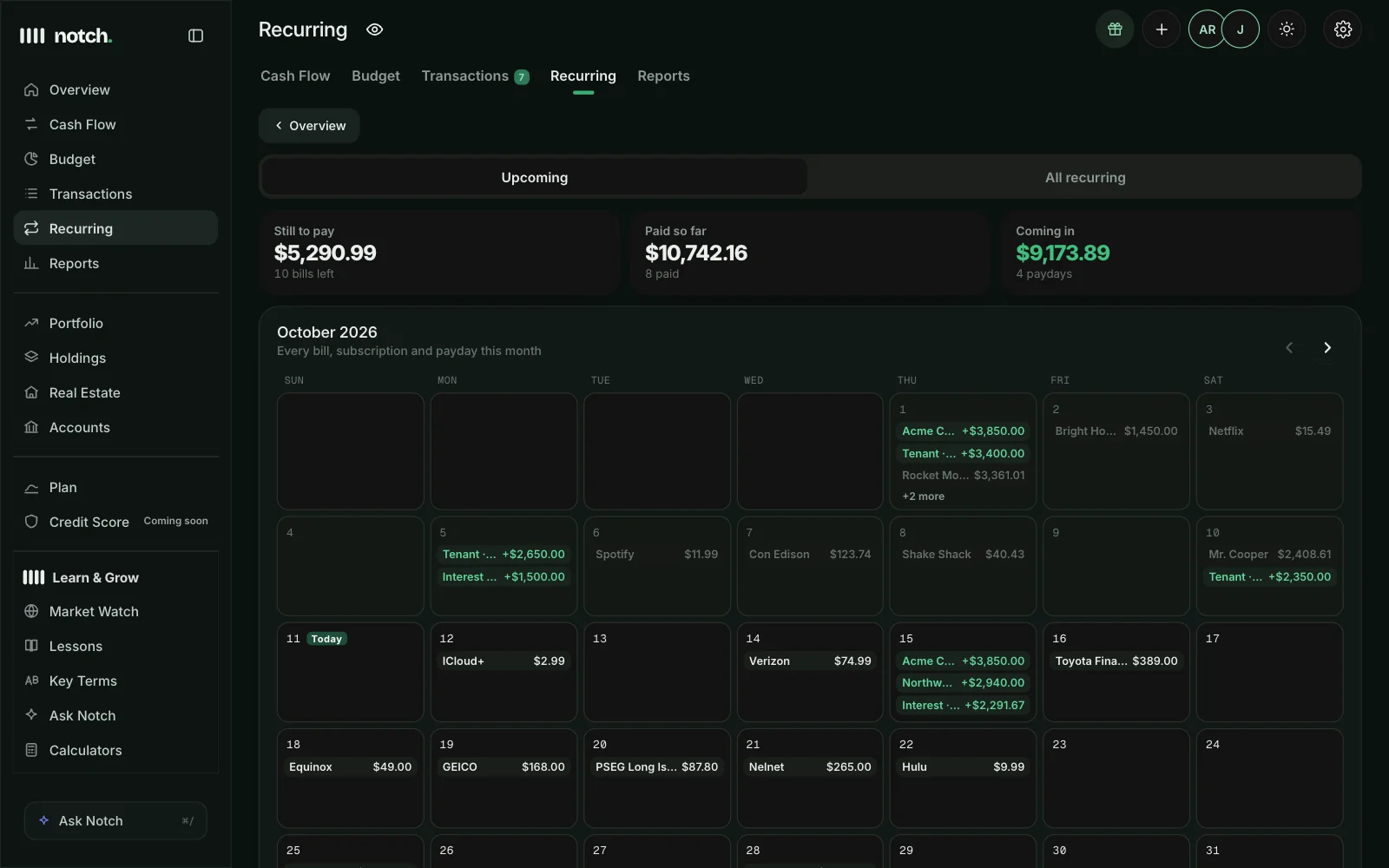
Bills and paydays on one calendar, with what's coming up next. Subscriptions are found automatically, with a monthly total that might surprise you.
- A month calendar of bills and paydays
- Bills, subscriptions and income, each with a total
- Coming up: the next 7 days on your Overview
Know your habits. Take them with you.
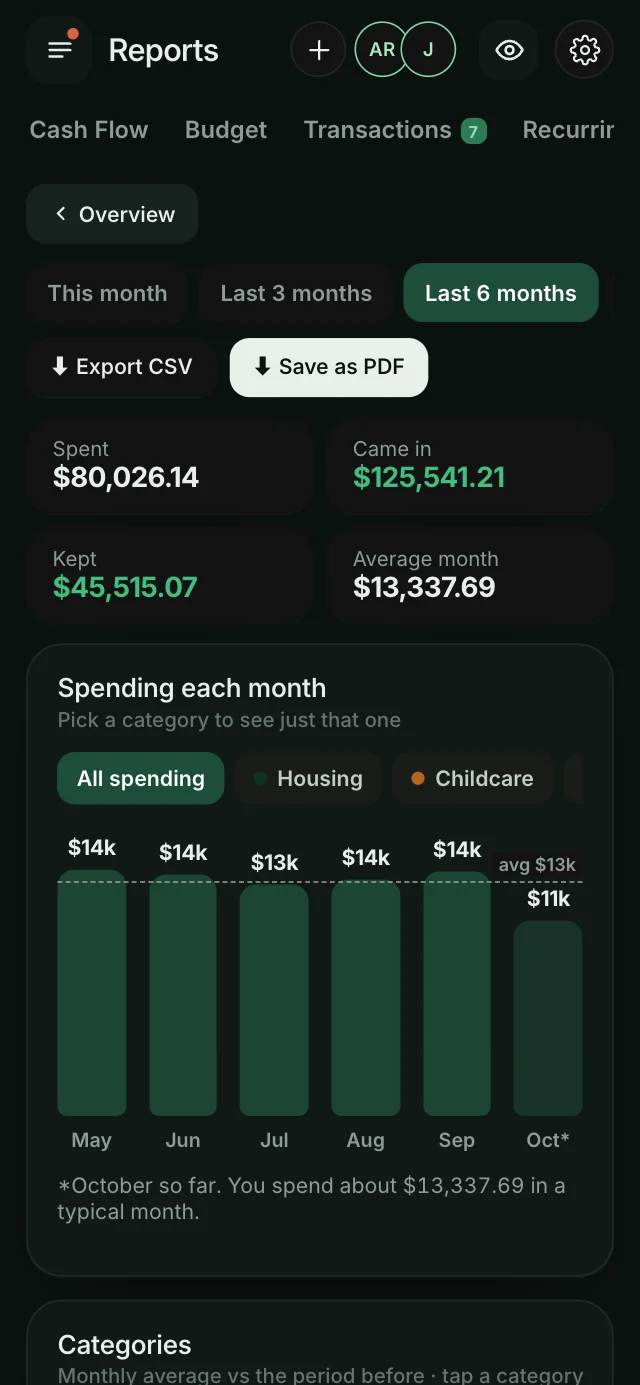
Spending by month, by category, by day of the week and by merchant, compared with the period before, and exported as a spreadsheet or a clean PDF.
- Your biggest spending days and top merchants
- Category trends vs. the period before
- Numbers for tax time
- CSV and PDF export
Small touches, done right.
Categories and rules
Notch sorts charges for you, and learns from every change you make.
Hide balances
Blur every dollar amount with one switch, handy in public.
Notifications you choose
Large charges, bills due, paydays and over-budget alerts.
Rename accounts
Call accounts what you call them, not what your bank does.
Download your data
Every transaction, anytime, as a spreadsheet.
Sync you can see
If a bank needs attention, you'll know, and one tap reconnects it.
Spending questions, answered.
How often do transactions update?
Notch syncs automatically several times a day, and you can tap Sync now in Settings → Linked accounts anytime.
Can I change a category for good?
Yes. Change one charge and Notch offers to update every past and future one from the same merchant.
Do I have to set up a budget?
No. Notch shows where your money goes either way. When you want a budget, start from your 3-month averages with one tap.
Can I track cash or accounts that won't connect?
Yes. Add accounts by hand and keep their balances up to date yourself.