Plan your money as a couple.
You each get your own login and share one plan. You decide what the other person can see, and talking about money gets a lot less awkward.
Together in three steps.
Create your account
Connect your accounts, or add them by hand. Notch sorts everything automatically.
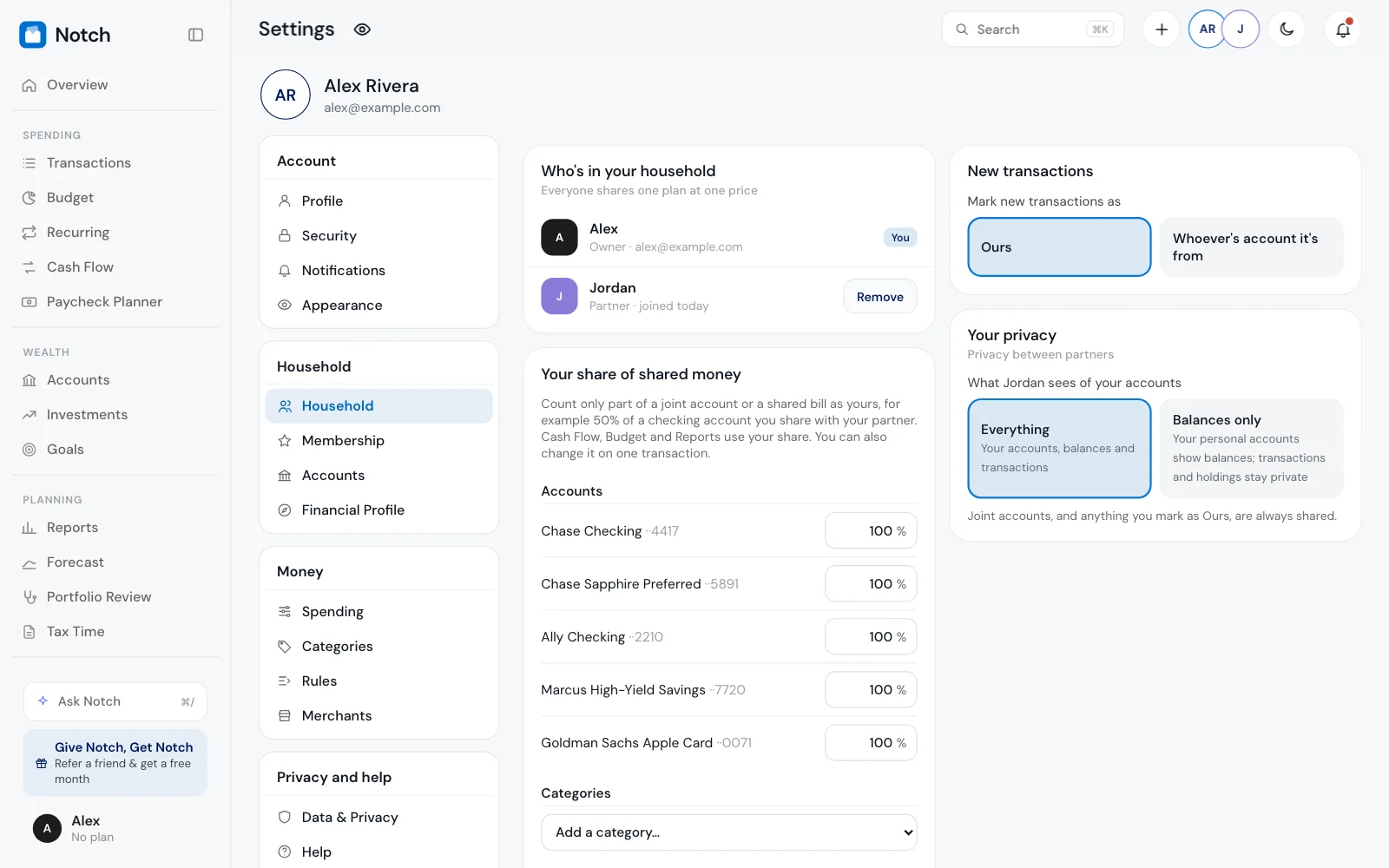
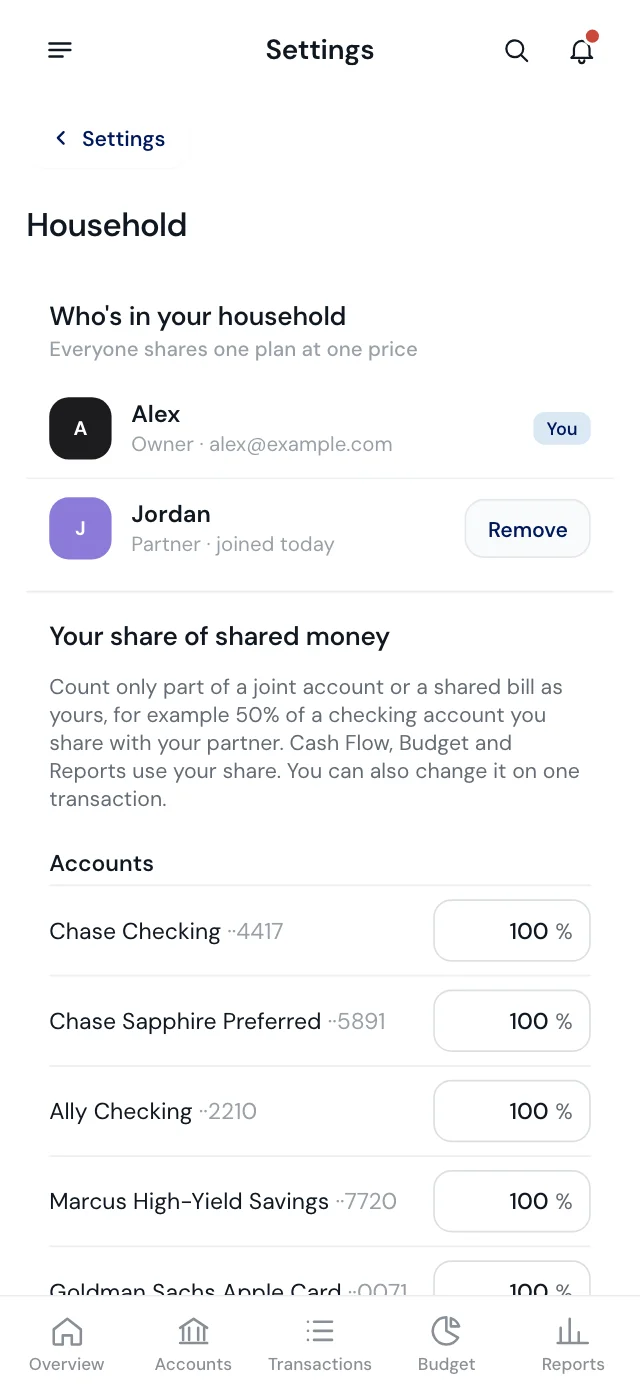
Invite your partner
Send a link from Settings → Household. They create their own login and join free.
Choose what to share
Joint accounts land in Ours. Your personal accounts can show balances only, if you'd like.
Everyone, mine, ours and theirs.
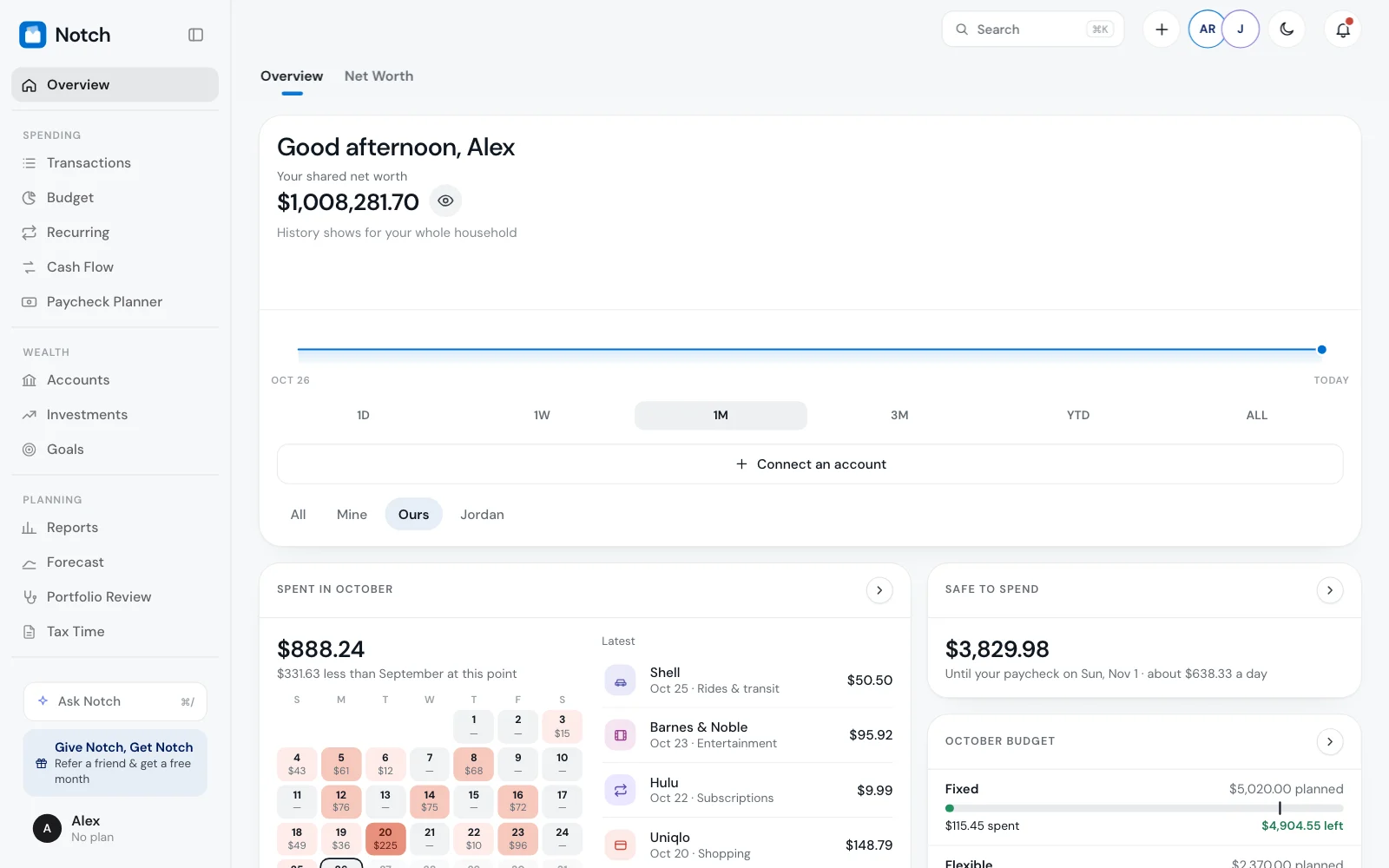
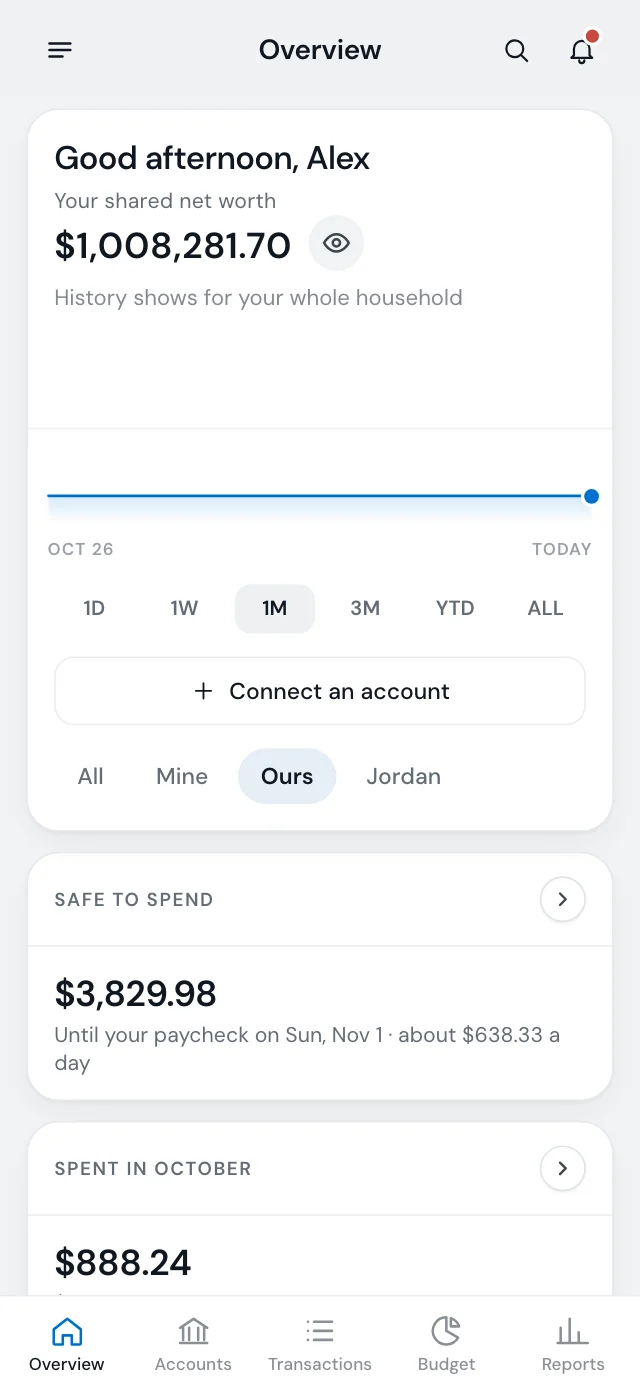
Once your partner joins, a switch appears on every screen. See your whole household, just yours, just what's shared, or just theirs, from net worth to spending.
- Every page: net worth, cash flow, budget, investments
- Joint accounts and shared charges land in Ours
- Your partner's personal accounts stay theirs
Split it your way.
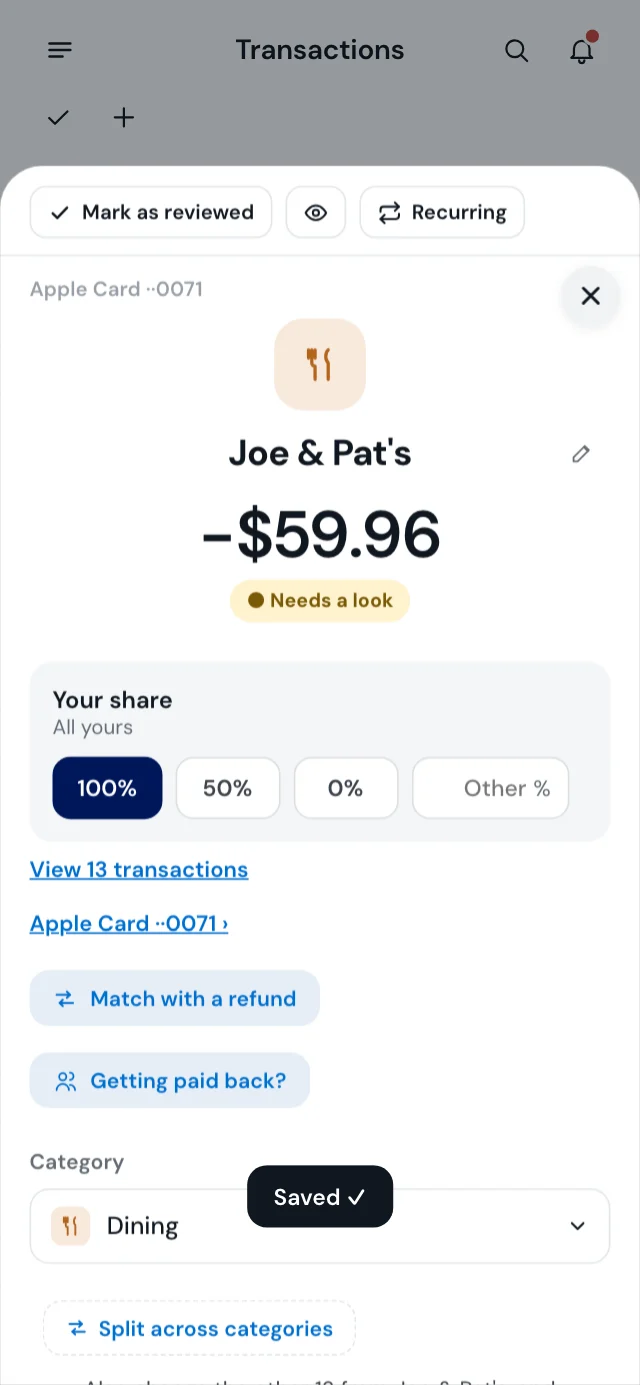
Split shared costs 50/50, by income, or with your own percentages. If one dinner should split differently, drag the slider on that charge.
- 50/50, by income, or custom percentages
- Split any single charge with a slider
- Mark any purchase as yours, theirs or shared
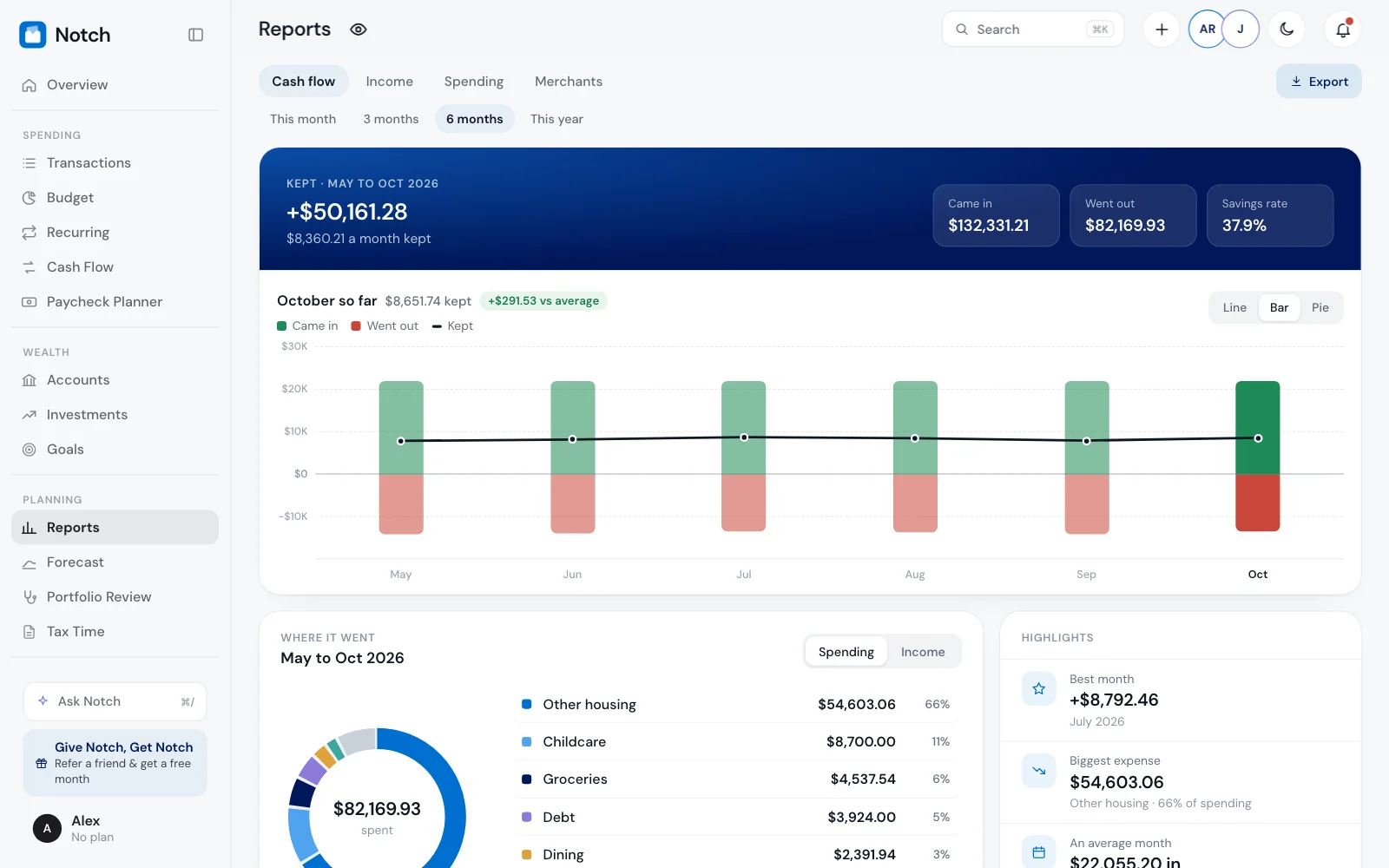
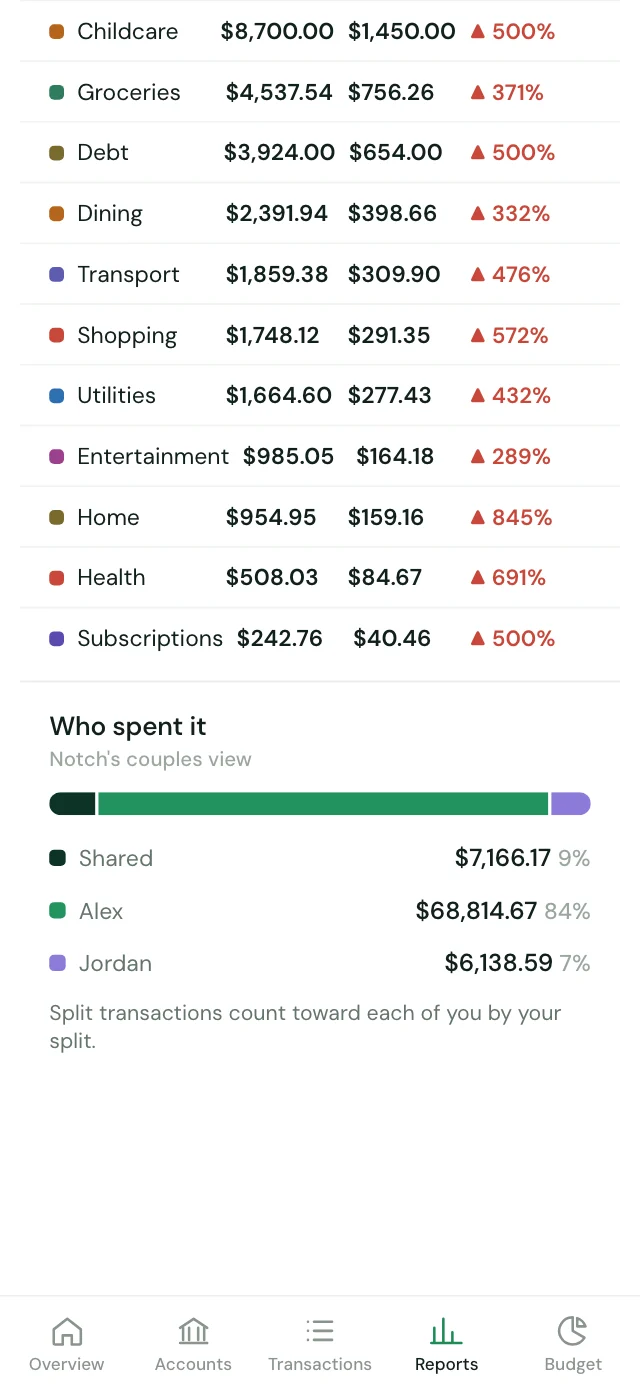
See who spent what.
Reports show what was shared and what each of you spent, with splits counted fairly. Handy for a monthly check-in.
- Shared, yours and theirs, side by side
- Split charges counted by each person's share
- Spending habits and trends for the household
Shared, but still yours.
Sharing a household doesn't mean sharing every purchase. Each of you decides what the other sees of your personal accounts, and you can change it anytime.
- Everything: accounts, balances and transactions
- Balances only: your personal transactions stay private
- Joint accounts and anything marked Ours are always shared
Plan the big stuff together.
Shared goals
Save toward the house, the wedding, the trip. Link a savings account and progress updates itself.
A plan for two
The plan uses both your ages and both your goals, like buying a home, having a kid or retiring at the same time.
Ask Notch, together
“Can we afford a bigger place?” Get answers built from your household's real numbers.
Questions from couples.
Does my partner cost extra?
No. One subscription covers two people in the same household, each with their own login.
What can my partner see?
You choose, in Settings → Household. Everything, or Balances only: your personal accounts show their balances, and their transactions and holdings stay private. Joint accounts and anything you mark as Ours are always shared.
We keep our finances mostly separate. Does Notch still work?
Yes. Keep personal accounts private and share only joint accounts and shared bills. Notch works fine that way.
What if we break up?
Either of you can remove the other from the household. Each person keeps their own login, and their own data.
Can we add more than two people?
Each household is built for two adults. Need something different? Email hello@notchmoney.io and tell us.
Want help deciding how to split?
Read our guide: Splitting money as a couple.
Set it up together.
Your first month is $1. Your partner joins at no extra cost.